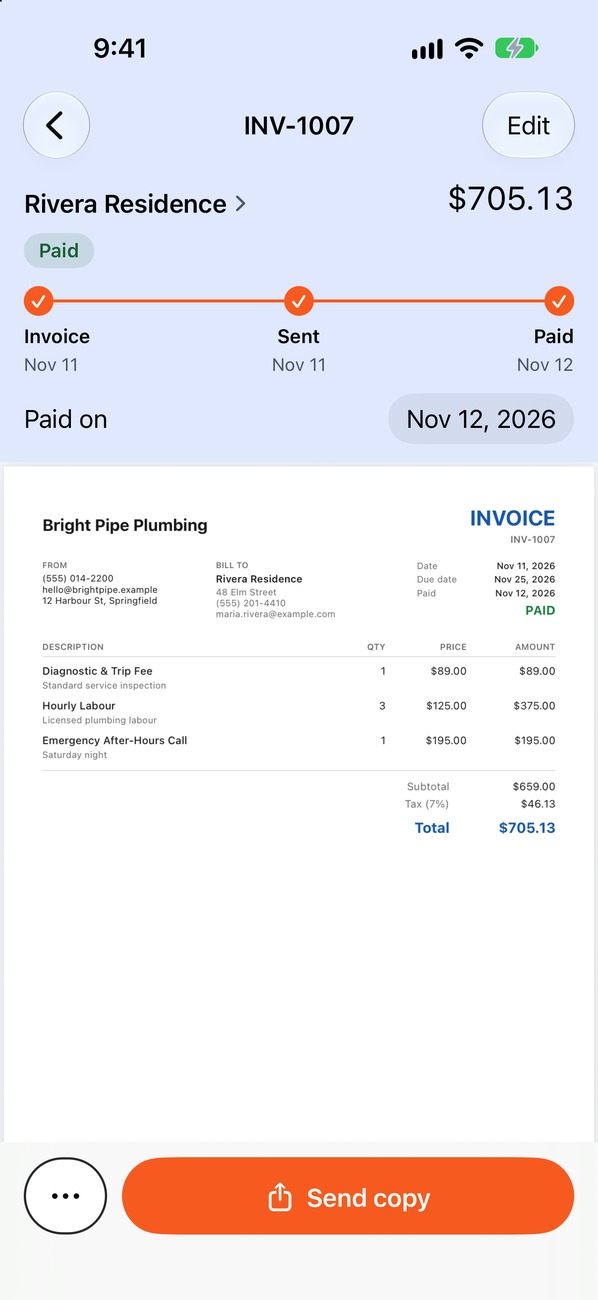
What a contractor invoice is (and what it isn't)
An invoice is a written request for payment. It lists the work you did, what it costs and when the money is due. It is not a receipt (that comes after payment) and it is not an estimate (that comes before the work). If you are not sure where each document fits, read how an estimate becomes an invoice.
A good invoice does two jobs at once: it gives the customer everything they need to pay without calling you, and it gives you a clean record if there is ever a dispute.
The 10 things every contractor invoice needs
- Your business name and contact details. Add your license number if your trade or location requires it on paperwork.
- The customer's name and billing address.
- The job address, when it differs from the billing address.
- A unique invoice number. Sequential numbers make records easy to find.
- The issue date and the service date.
- Itemized lines. Labor, materials and fees each get their own line with a description.
- Quantities, rates and line totals.
- Tax, discounts and deposits. Only where they apply to your work and location.
- The balance due and the due date.
- How to pay. List accepted methods and any instructions, such as who to make a check out to.
The template
Copy this layout into your invoicing tool or document. The bracketed parts are the fields you fill in for each job.
| Section | What goes in it |
|---|---|
| Header | [Business name] · [Phone] · [Email] · [License no., if required] |
| Bill to | [Customer name] · [Billing address] |
| Job details | [Service address] · Service date [date] |
| Invoice info | Invoice # [0001] · Issued [date] · Due [date] |
| Line items | [Description] · [Qty] · [Rate] · [Amount], one row per labor, material or fee |
| Totals | Subtotal · Tax · Total · Deposit received · Balance due |
| How to pay | [Accepted methods and instructions] |
| Notes | [Warranty, scope notes or a thank-you line] |
Tip: keep the template in one place and duplicate it for every job. Typing from scratch is where typos and forgotten fields creep in.
A worked example
Here is how the template looks filled in for a small bathroom remodel. The figures are examples only, so use your own rates and the tax rules that apply where you work.
| Description | Qty | Rate | Amount |
|---|---|---|---|
| Demolition and haul-away | 1 | $450.00 | $450.00 |
| Tile installation labor | 14 hrs | $65.00 | $910.00 |
| Porcelain tile and thinset | 1 | $388.00 | $388.00 |
| Fixture installation labor | 4 hrs | $65.00 | $260.00 |
| Subtotal | $2,008.00 | ||
| Tax (example rate, 7% on materials) | $27.16 | ||
| Total | $2,035.16 | ||
| Deposit received Nov 1 | −$600.00 | ||
| Balance due by Nov 24 | $1,435.16 | ||
Notice what makes this easy to pay: the customer can see each charge, the deposit is already subtracted and the balance is one clear number. For more on showing earlier payments, see deposits and partial payments.
Mistakes that delay payment
- One lump-sum line. “Remodel work: $2,035” invites questions before payment.
- No due date. “Due on receipt” or a specific date gives the customer a deadline. See payment terms explained.
- A deposit that is missing. If money already paid is not shown, the customer has to guess the balance.
- Surprise charges. Anything not in the estimate needs its own line and, ideally, the customer's agreement beforehand.
- No payment instructions. If paying takes effort, it waits.
How to send it
Send the invoice as soon as the work is finished, while it is fresh for both of you. A PDF by text message, WhatsApp or email works for most customers. In Pago Invoice you can turn an approved estimate into an invoice with one tap and send the PDF from the job site, so the numbers always match what was agreed.
- The customer name, address and invoice number are right.
- Every line matches the work and materials actually used.
- Tax, deposit and balance have been checked.
- The due date and payment instructions are visible.
Questions contractors ask
Do I need to put my license number on an invoice?
It depends on your trade and location. Some places require it on contracts and paperwork. Check with your licensing board, and add it to your template if it applies.
Should I itemize labor and materials separately?
Usually, yes. It shows the customer what they paid for, helps with tax treatment where rules differ for labor and materials, and keeps your own records clear.
How long should I wait before sending an invoice?
Send it the day the job is done, or the same day you reach an agreed milestone. The longer you wait, the longer you wait to be paid.
Can I charge a late fee?
Only if you agreed to it in writing before the work and your local rules allow it. State the fee and when it applies on the estimate and the invoice.