Pago Invoice Help
Quick answers for creating estimates, sending PDFs, tracking payments and getting your records out of the app.
Get started
- Choose a trade and review its starter price list.
- Add your business details, logo, tax rate and payment instructions in Settings.
- Create a client, tap the services you need and check the total. Everything saves as you go.
- Tap Preview PDF, then send it. When the work is approved, tap Make invoice.
Common tasks
How do I change a service or price?
Open Settings and choose Price list to edit an existing service or add a new one. You can also adjust line items while building a document.
How do I send an estimate or invoice?
Open the document and tap Send at the bottom. Pago Invoice creates the PDF on your iPhone; choose text, WhatsApp, email, AirPrint or another available option. Sending it marks it as sent.
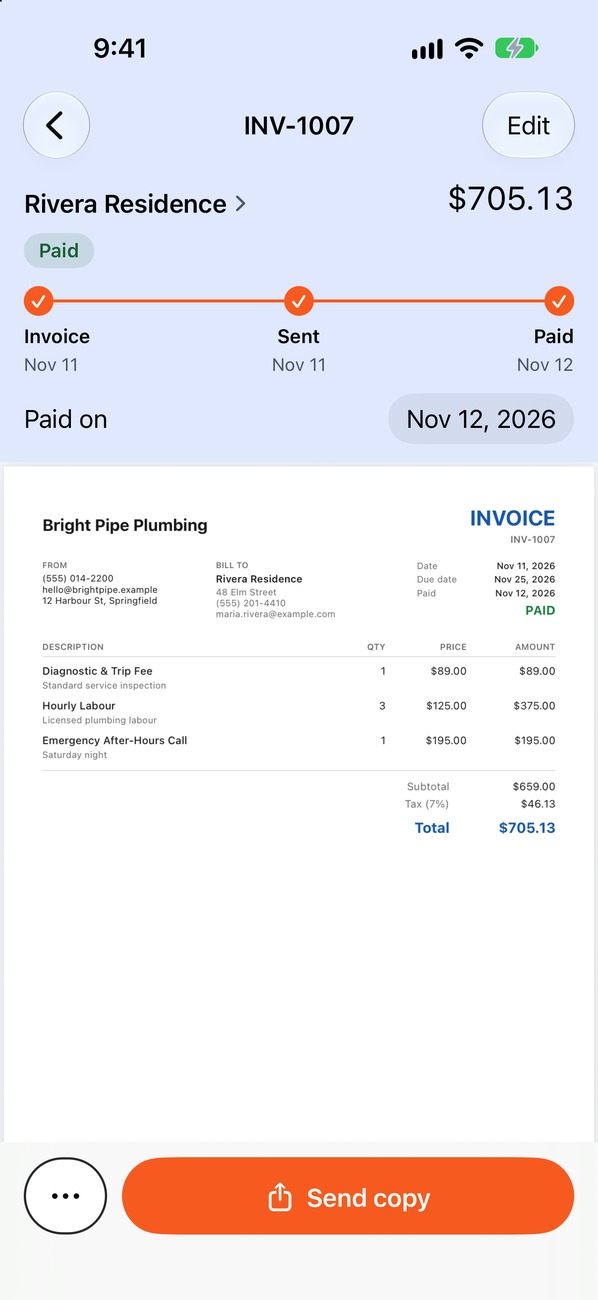
How do I mark an invoice as paid?
Open the invoice and tap Mark as paid at the bottom, or swipe right on it in a list and tap Paid. If the money came in on another day, change the Paid on date. To show clients how to pay you, add your payment methods in Settings › Payment methods and they print on every unpaid invoice.
Can I use the app without an internet connection?
You can create and manage documents on your phone without a connection. Sending them through a messaging or email service requires that service to be available.
How do I export information for my accountant?
Go to Settings and choose Export to CSV. You can create a spreadsheet of records by document type and year. Exporting is free.
What does the Free plan include?
Building, editing and previewing estimates and invoices is free, with no limit. So are your clients and job history, trade price lists, your logo, colours and the three PDF templates, and CSV export. Pago Invoice Pro adds sending PDFs by text, WhatsApp or email, printing with AirPrint, and payment reminders. Pro costs CA$15 / US$12 a month or CA$149 / US$120 a year, and the annual plan includes a free trial.
Where do I manage or cancel a subscription?
Subscriptions are billed through Apple. Open your Apple Account subscription settings on your device to review or cancel a plan.
What should I do if I change or lose my iPhone?
Pago Invoice stores your documents on your device. Keep your device backups current and confirm that your records are available before erasing or replacing a phone.
Still need help?
Email help@pagoinvoice.com and your question will reach our support team.
Back to the job, paperwork done.
Free to download. Your first estimate takes about a minute.
 iPhone · iOS 17 or later · Free to start