
Everything a job needs, from first quote to final payment
Build an estimate, send a clear PDF, turn approved work into an invoice and keep track of what is still owed.
Free to start · iPhone · No account needed
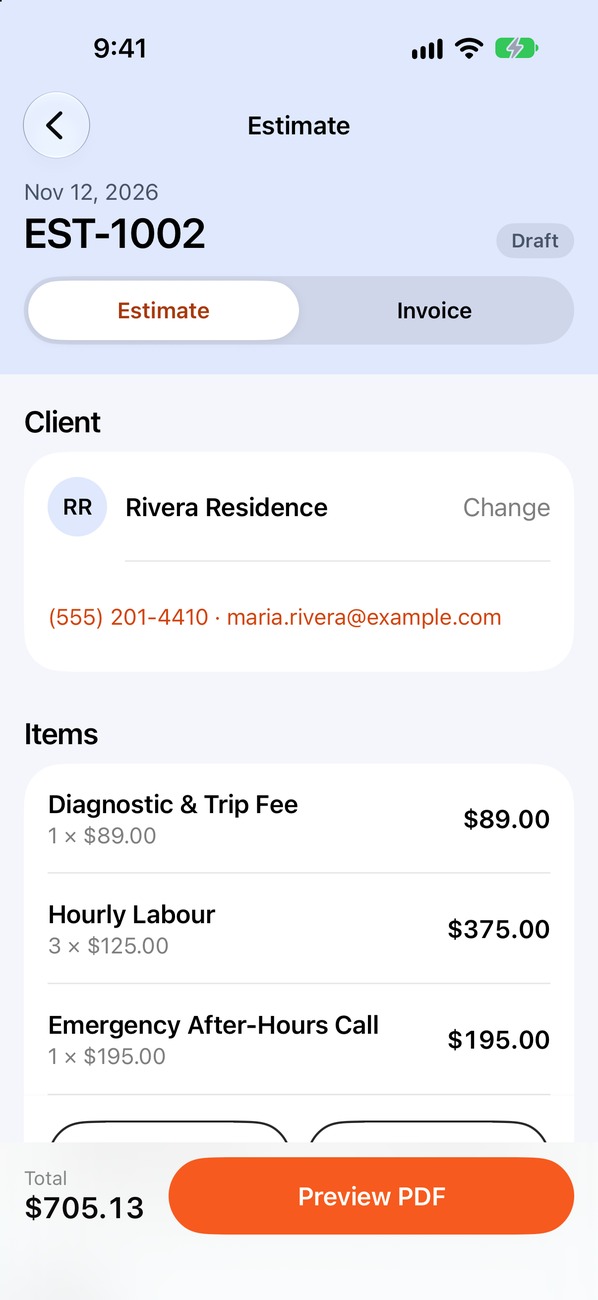
Quote with prices you already set
Choose your trade and start with a ready-made service list. Change descriptions, prices and quantities to fit the job, while totals and tax update for you.
- Services for 27 trades
- Set your own prices and taxes
- Add a discount to any job
Send a professional PDF from the job site
Put your business details, licence number and payment instructions on your estimates and invoices. Share the PDF by text, WhatsApp or email, or print it with AirPrint.
- PDFs are created on your iPhone
- 3 templates, free
- Your logo and colour, free
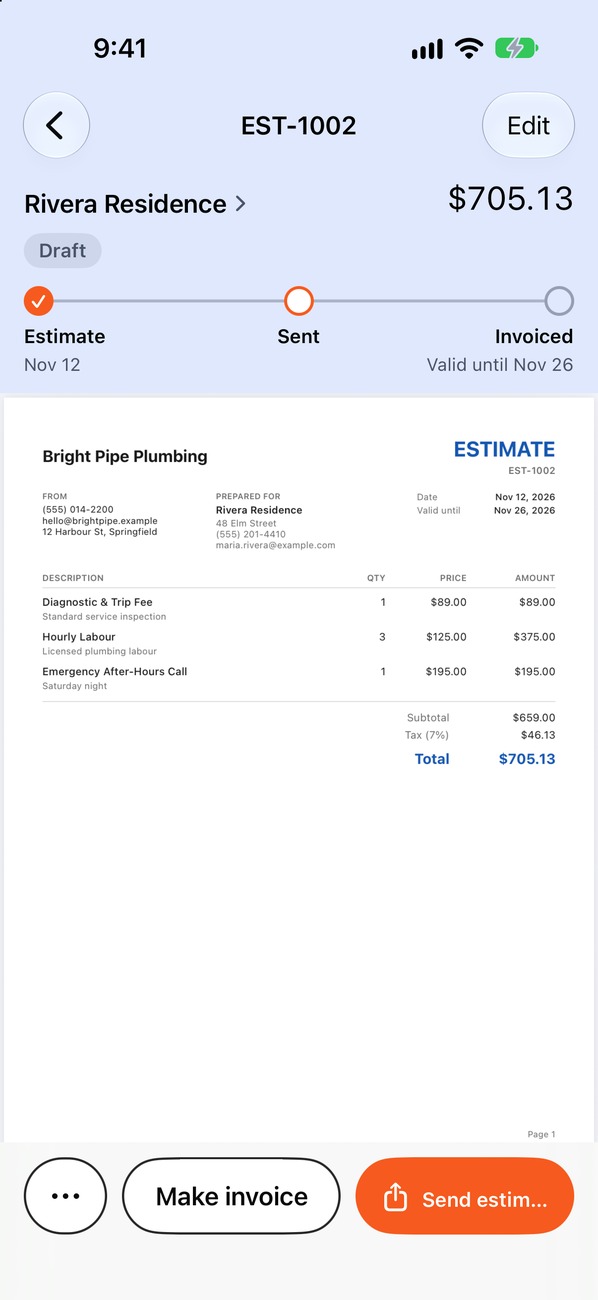
Turn approved estimates into invoices
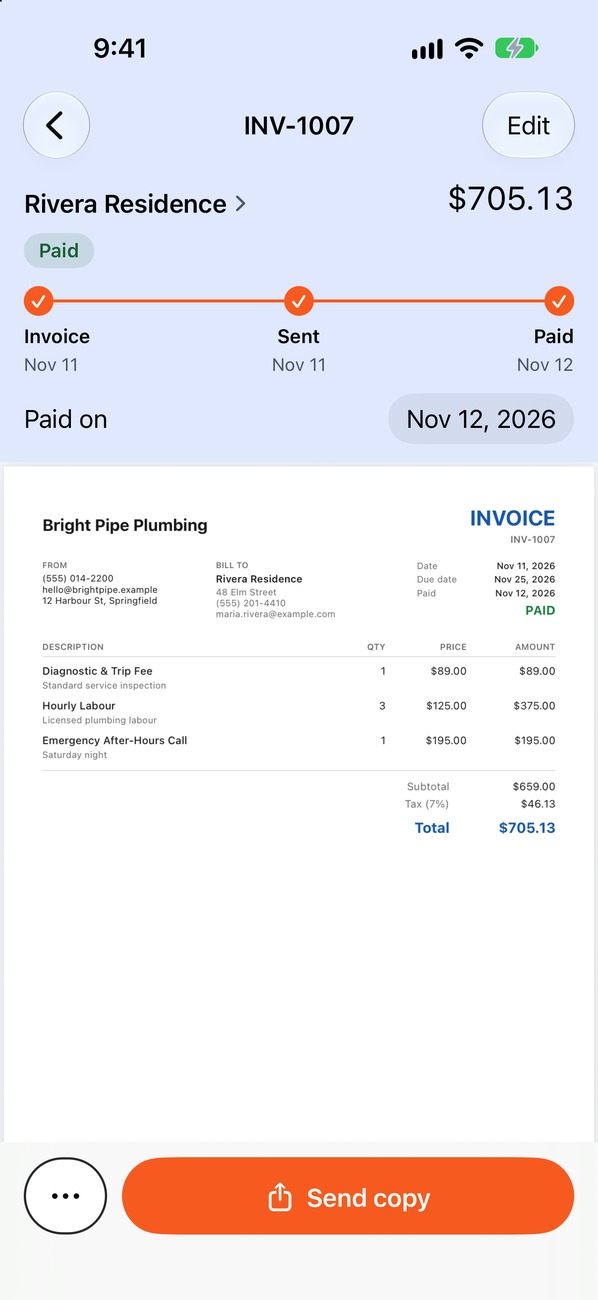
When a customer approves the work, create an invoice from the estimate. Keep the line items, with your due date and terms filled in, and mark it paid when the money arrives.
- Carry estimate details into the invoice
- Keep payment dates for your records
- Export to CSV for your accountant
Follow up on overdue invoices
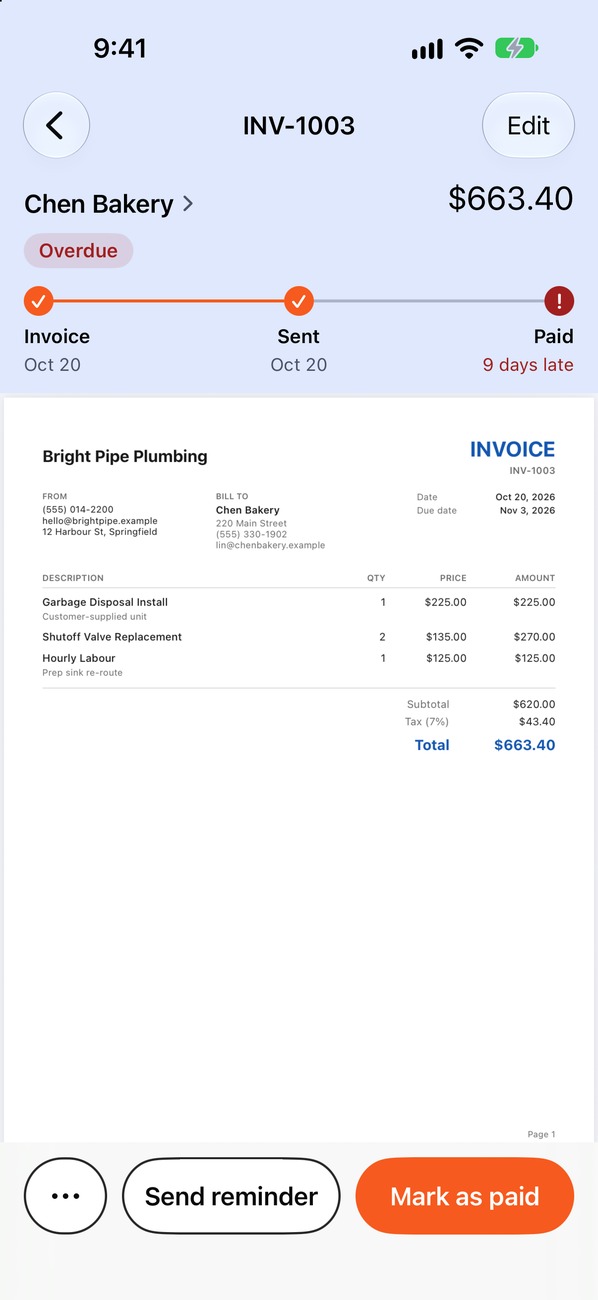
Overdue invoices go to the top of Home, with how many days late each one is. With Pro, send a payment reminder in your own words by text or email.
- See which invoices are past due
- Get an alert when an invoice goes unpaid
- Attach the invoice PDF to the reminder
Keep client and job history together
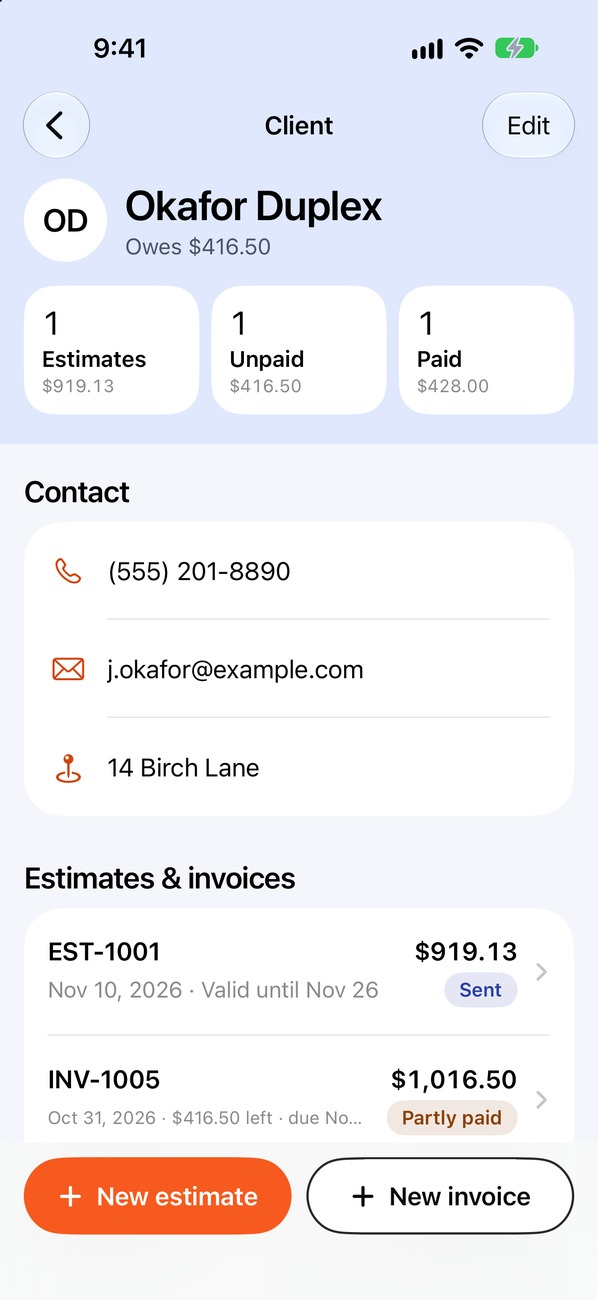
Import a client from Contacts, review their estimates and invoices, and see outstanding amounts before you start the next job.
- Keep documents grouped by client
- Review job and payment history
- See outstanding balances at a glance
Get your next estimate moving.
Free to download. Your first estimate takes about a minute.
 iPhone · iOS 17 or later · Free to start